Introduction
Discover what IQM Model Context Protocol (MCP) is, its core components, and what you can do with it.
What is IQM Model Context Protocol (MCP)
IQM MCP is IQM's implementation of Anthropic's open standard that lets AI models connect to external data, tools, and services — similar to an API, but designed for AI agents to take action autonomously.
There are two main components of MCP:
- MCP server
- MCP client
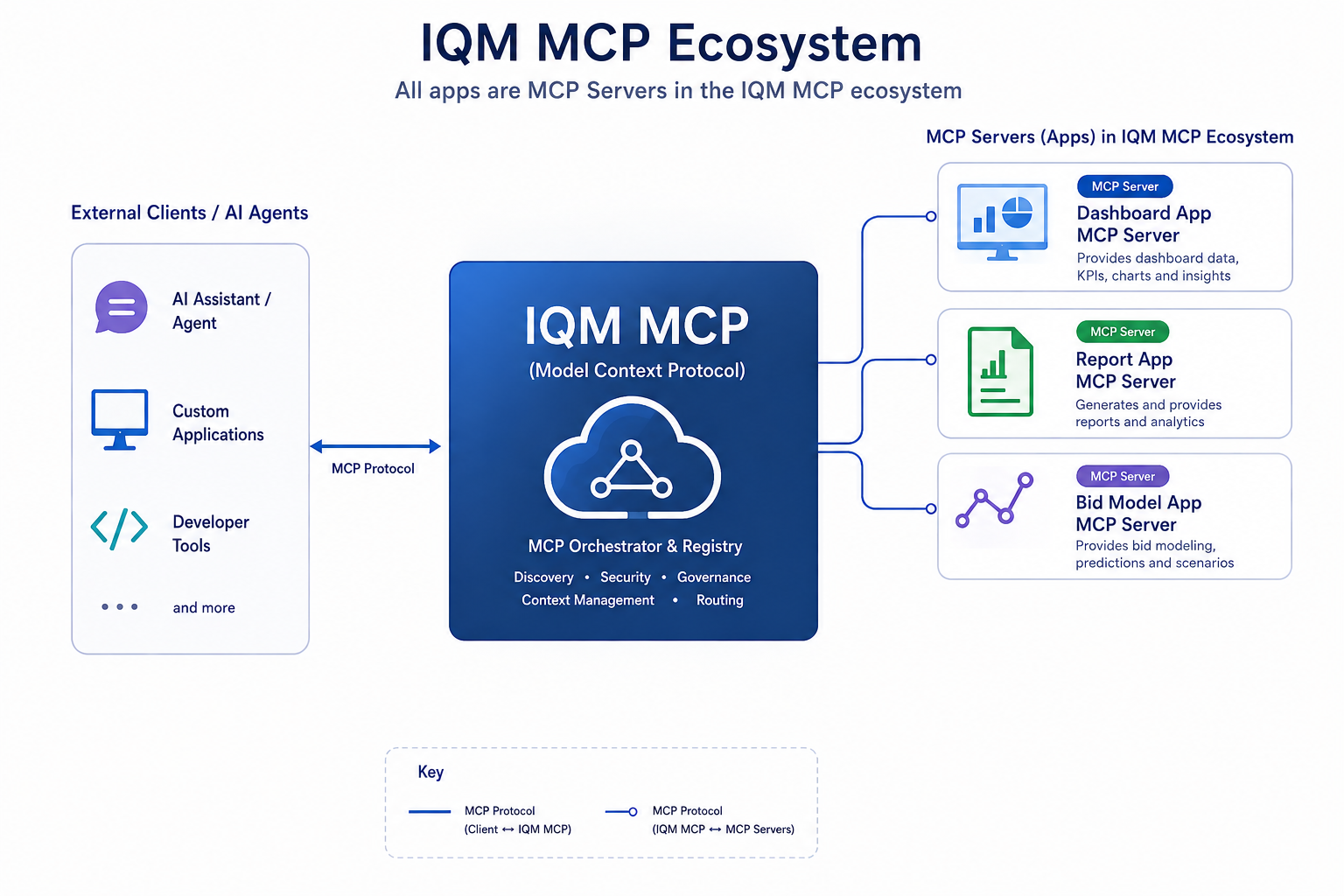
MCP server
An MCP server is a program that provides access to data, tools, or prompts to AI models, enabling them to interact with the external world. It acts as a bridge, connecting AI agents to external resources and services.
In IQM's MCP ecosystem, a single MCP server exposes all of the platform's apps (Campaign app, Audience app, Bid Model app, etc.) as one connection point. This server exposes each app's data and functionality to AI models, allowing them to execute actions based on the app's capabilities.
MCP client
An MCP client lives inside the AI assistant you're using — such as Claude or ChatGPT — and connects that assistant to IQM's MCP server. When you ask the assistant to do something, the client routes the request to the server, and returns the result back into your conversation.
IQM MCP supports multiple AI assistants, allowing you to choose the one that best fits your workflow. See the setup guide for instructions on how to connect your preferred assistant to IQM MCP.
What IQM MCP can do
Using IQM MCP, you can ask your AI assistant to perform tasks across IQM's apps, such as:
-
"Give me the list of my running campaigns."
-
"Give me an Insights report for campaigns running this month."
-
"Change the daily budget of campaign ID 123 to $30."
All in real-time, directly inside your LLM chat interface.
See it in action
Check out this short video demonstrating Claude's usage with IQM MCP: