Improvado Integration
Improvado helps marketing teams find answers in data effortlessly. The IQM Connector allows users to integrate IQM ad-serving data into their Improvado dashboards, enhancing decision-making and connecting marketing, sales, and financial data.
Prerequisites
Before using the IQM connector on Improvado, you must have:
- An active IQM account
- An Improvado account (see Improvado for information on gaining access)
Setup
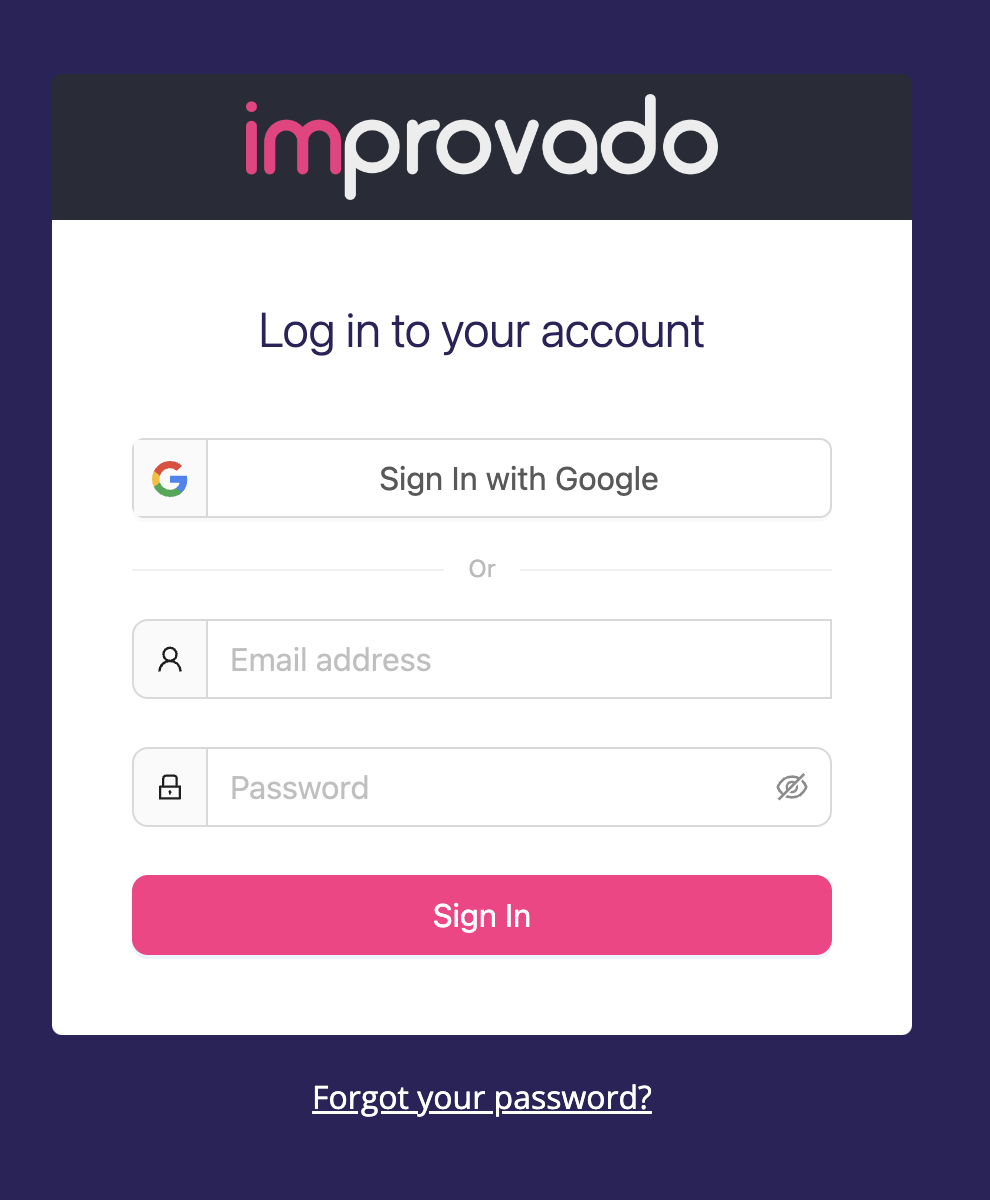
Step 1: Log In to Improvado
Log into your Improvado account at Improvado Login.
Step 2: Create New Connection
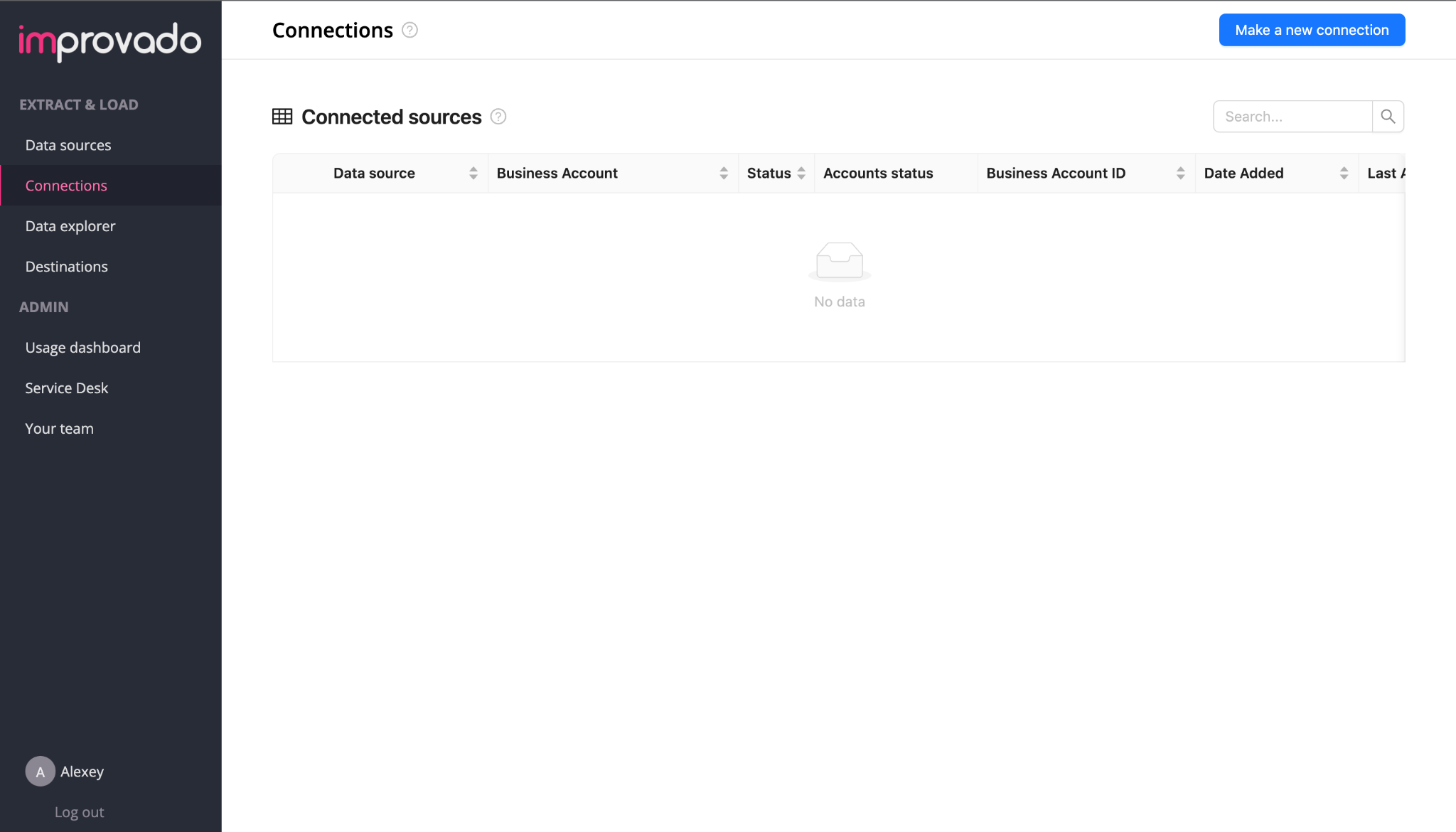
- From the Extract & Load sidebar, select Connections
- Select Make a new connection
Step 3: Select IQM Data Source and Authorize
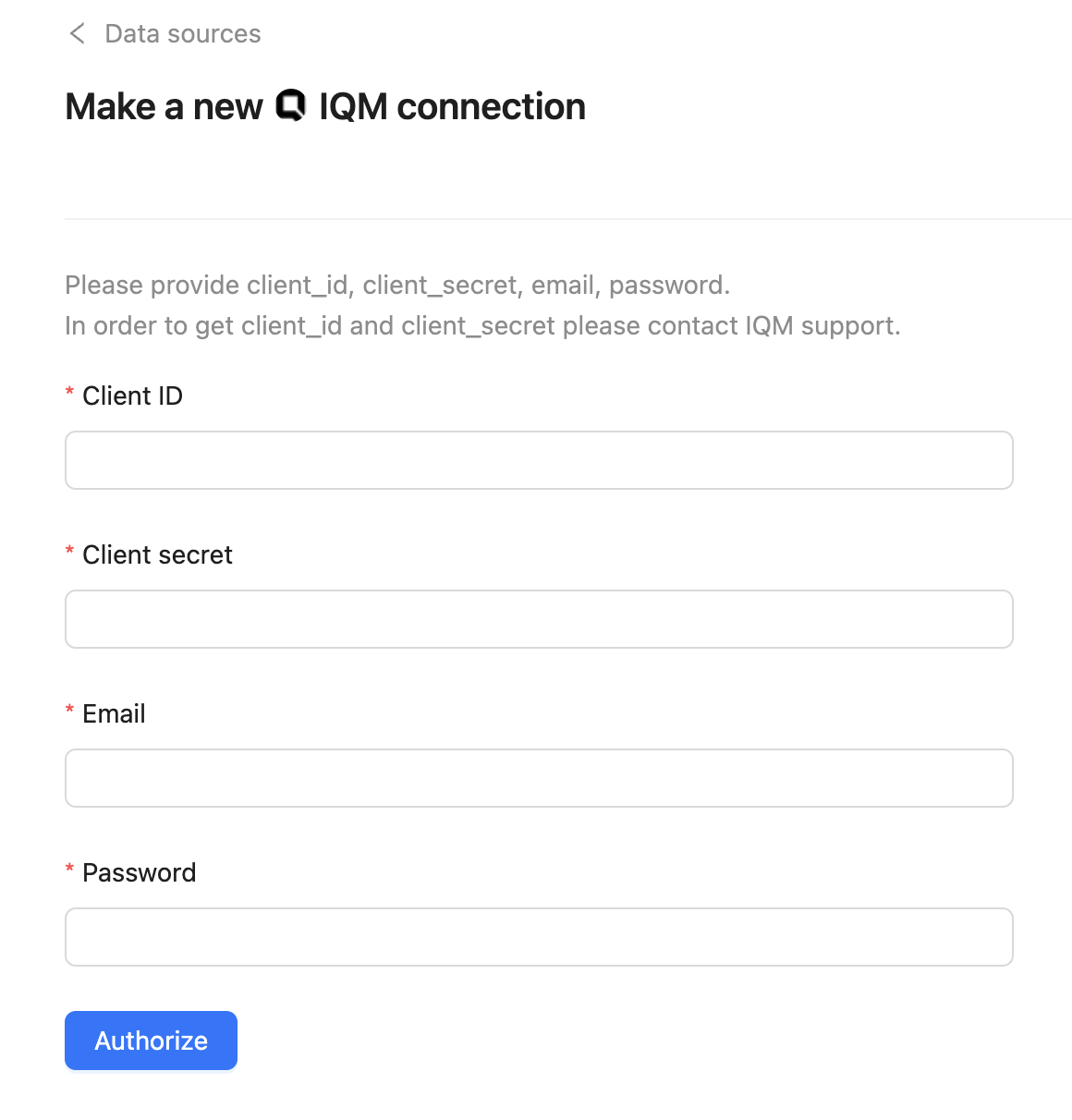
- From the Data sources list, select IQM to open the Make a new connection wizard
- Enter your details in the form
- Press Authorize
note
You can request Client ID & Secret from support@iqm.com.
Step 4: Extract Data
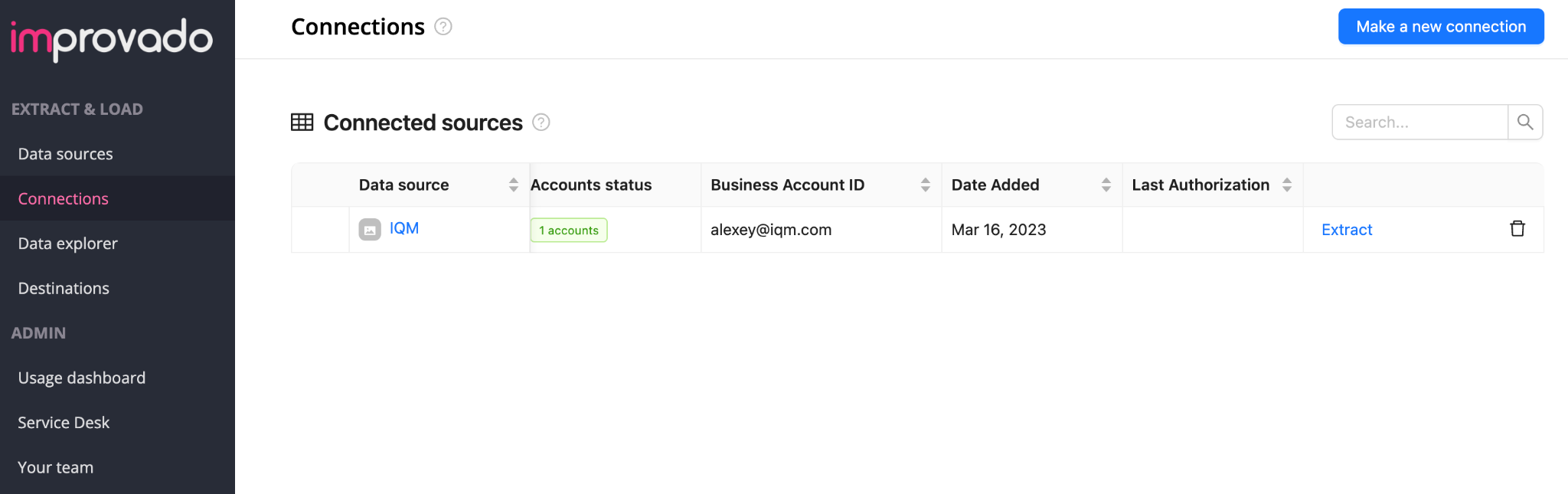
- In the list of Connected Sources, press the Extract link for IQM Data Source
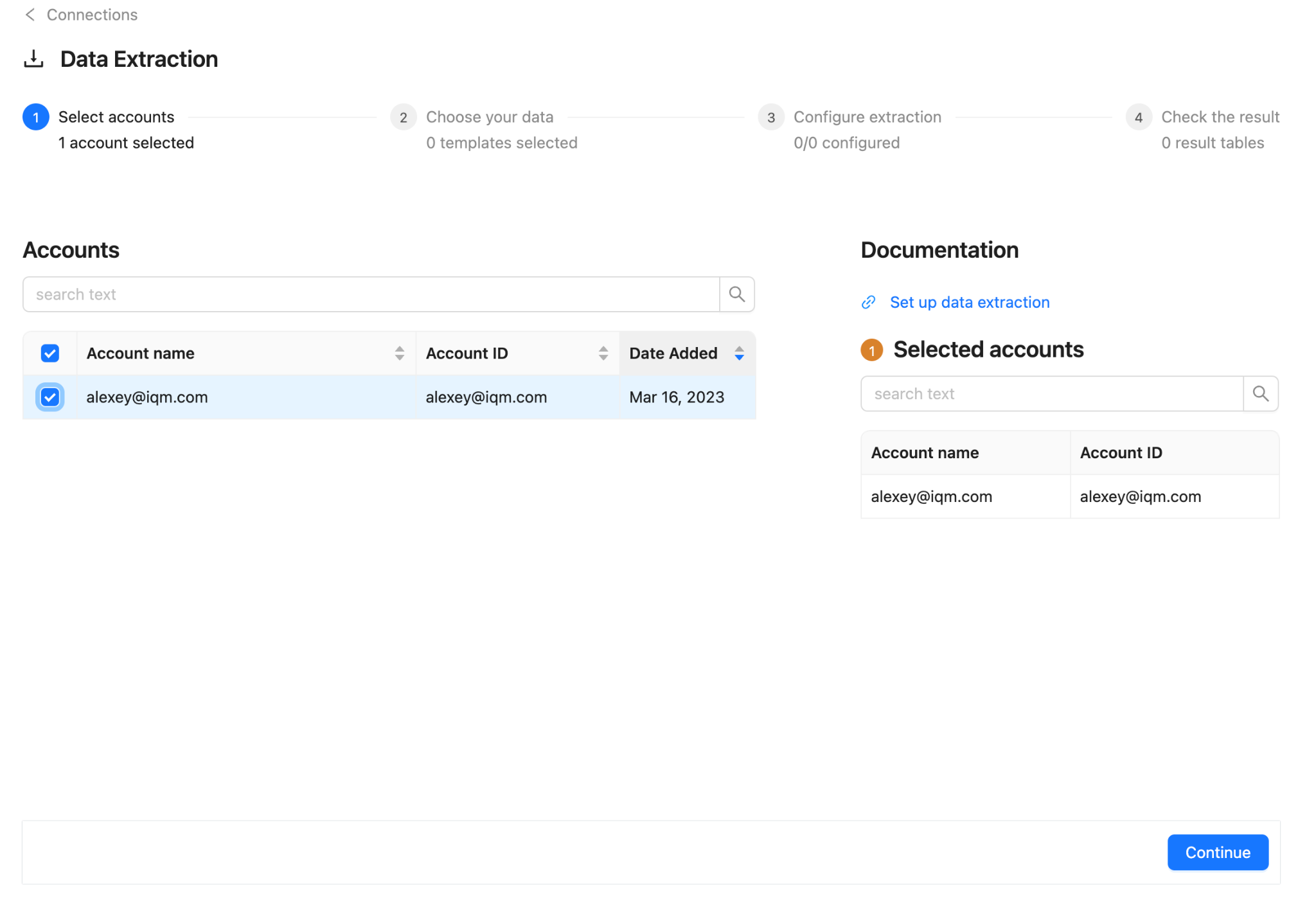
- In the list of Accounts, select your IQM account and press Continue
Step 5: Choose Template
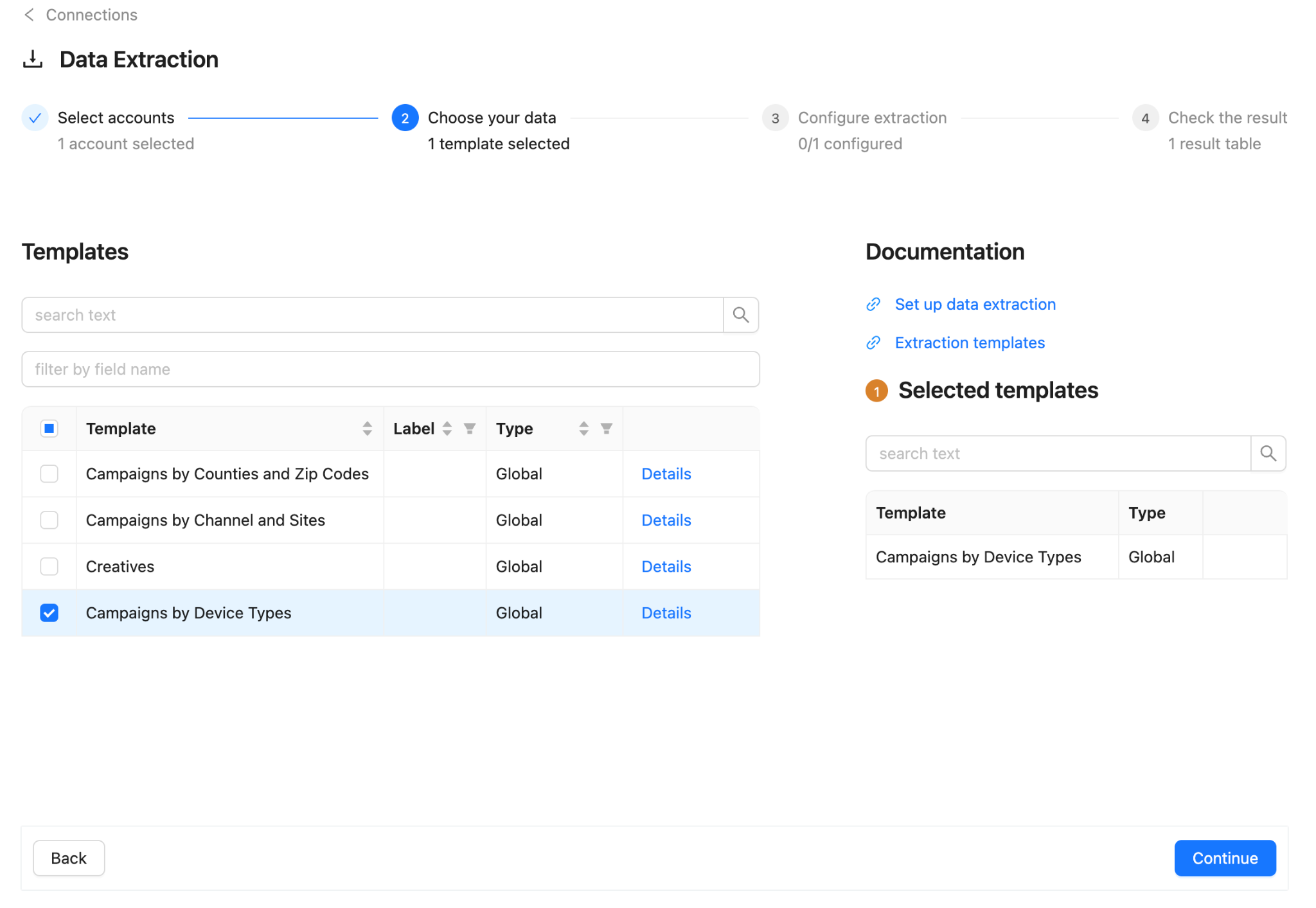
Choose your desired template from the list of Templates and press Continue.
Step 6: Configure Extraction
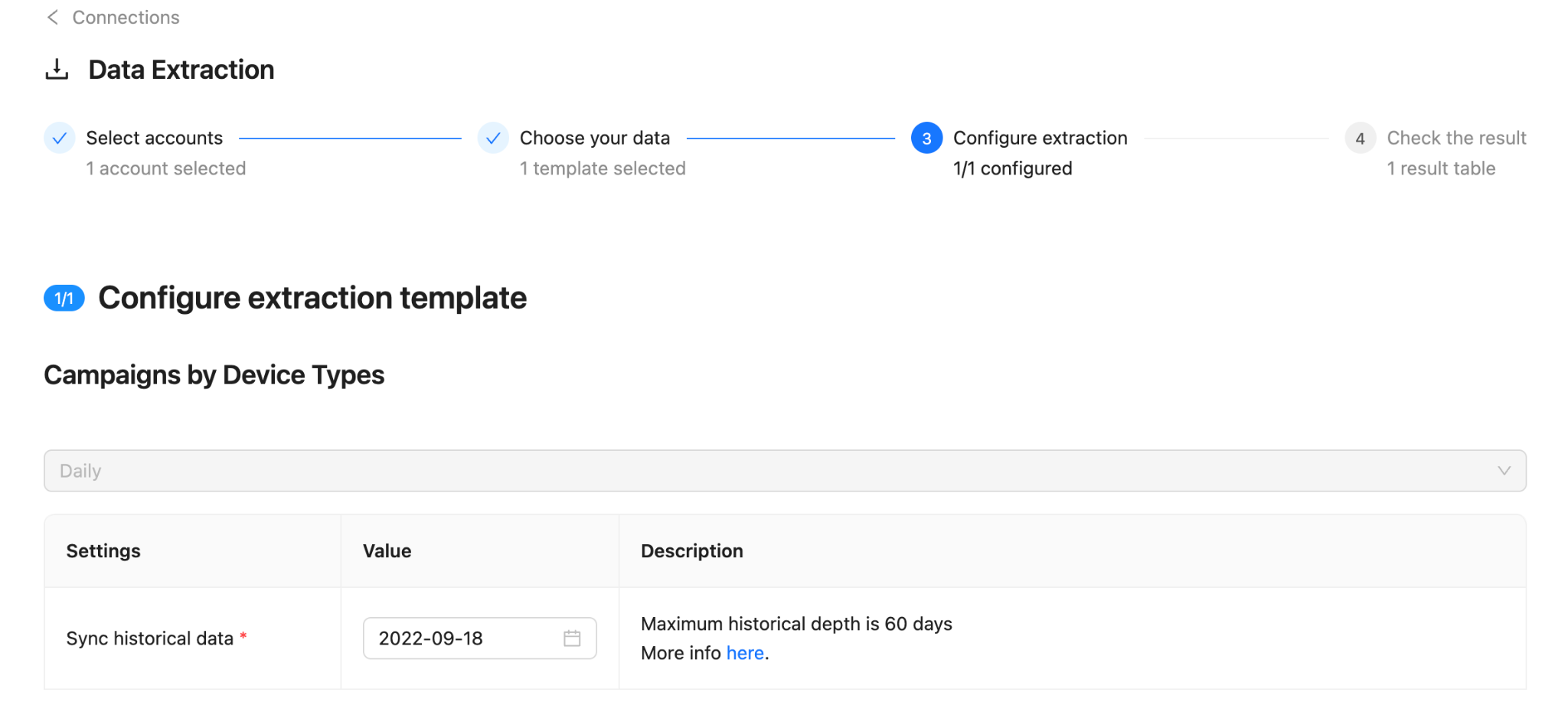
Configure your extraction template by specifying:
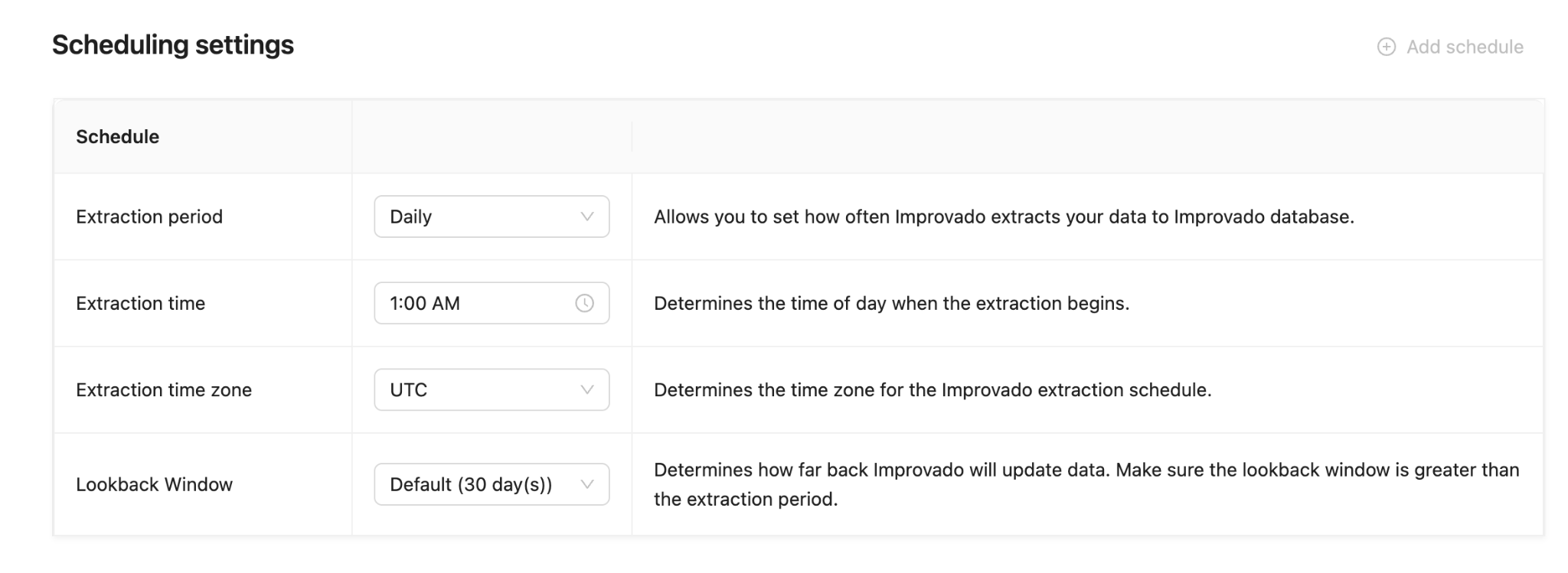
Schedule:
- Set when and how often data should be extracted
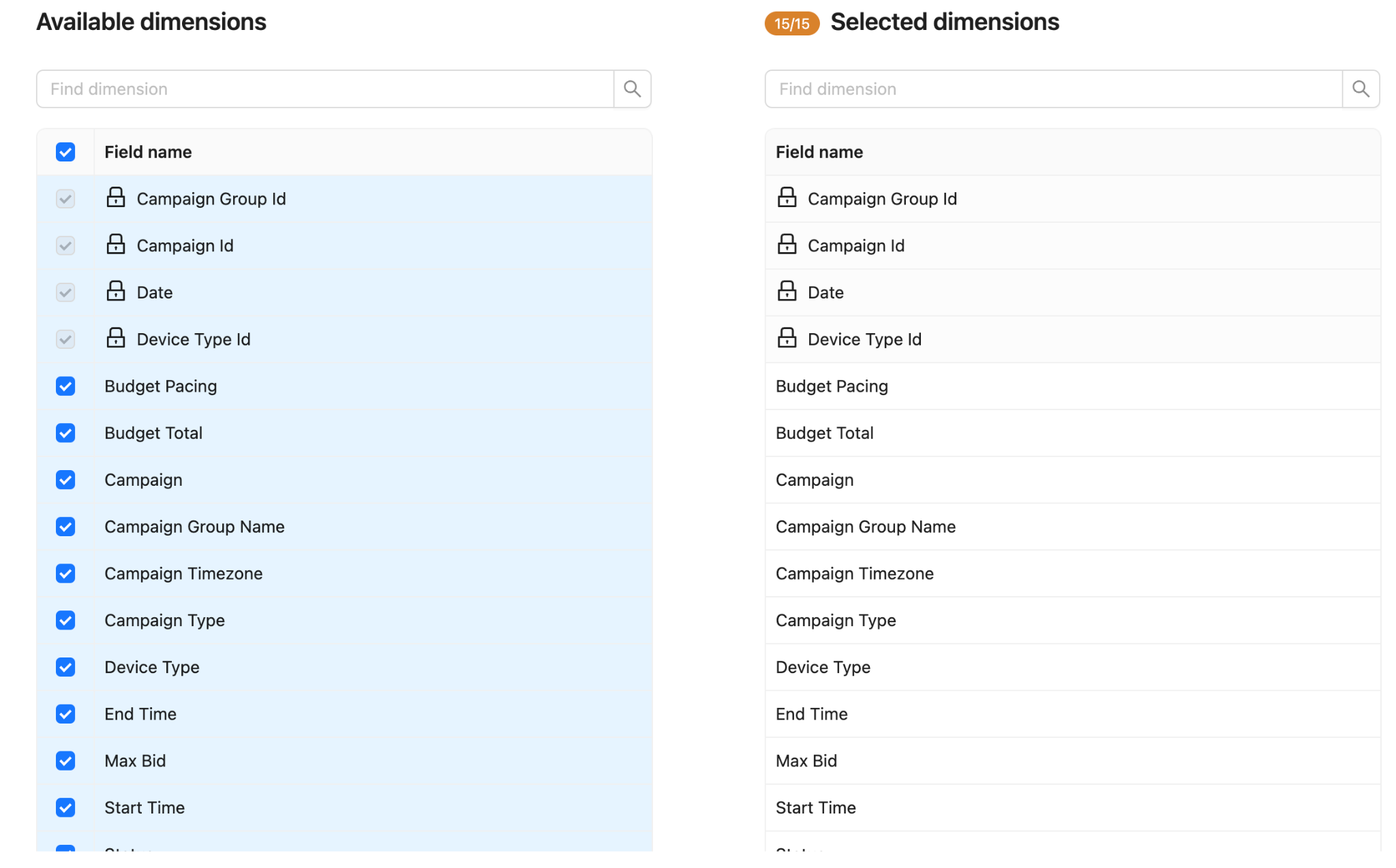
Dimensions:
- Select how data should be grouped (Campaigns, Creatives, etc.)
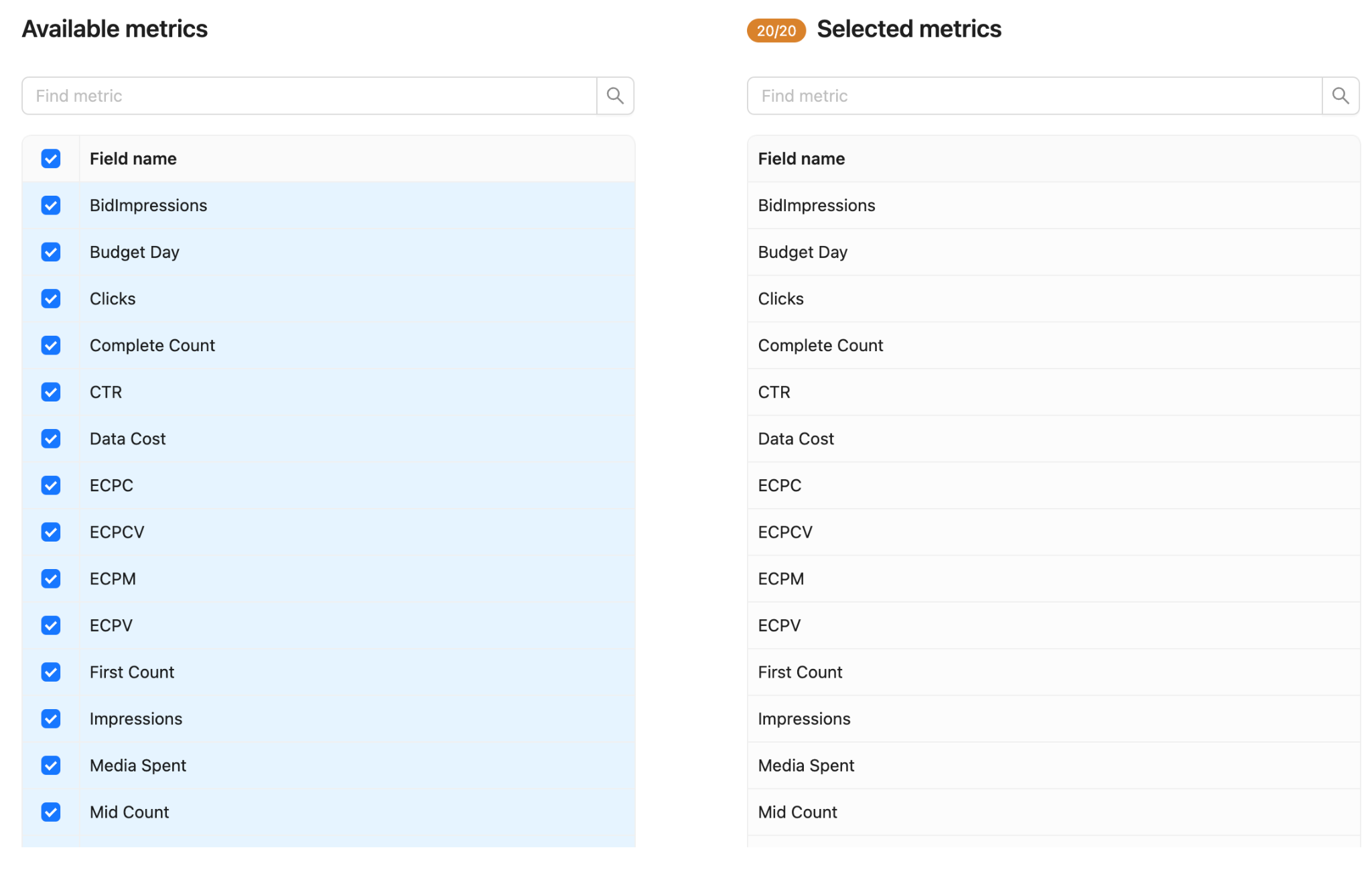
Metrics:
- Select which performance metrics to include
Press Continue after configuring.
Step 7: Complete Extraction
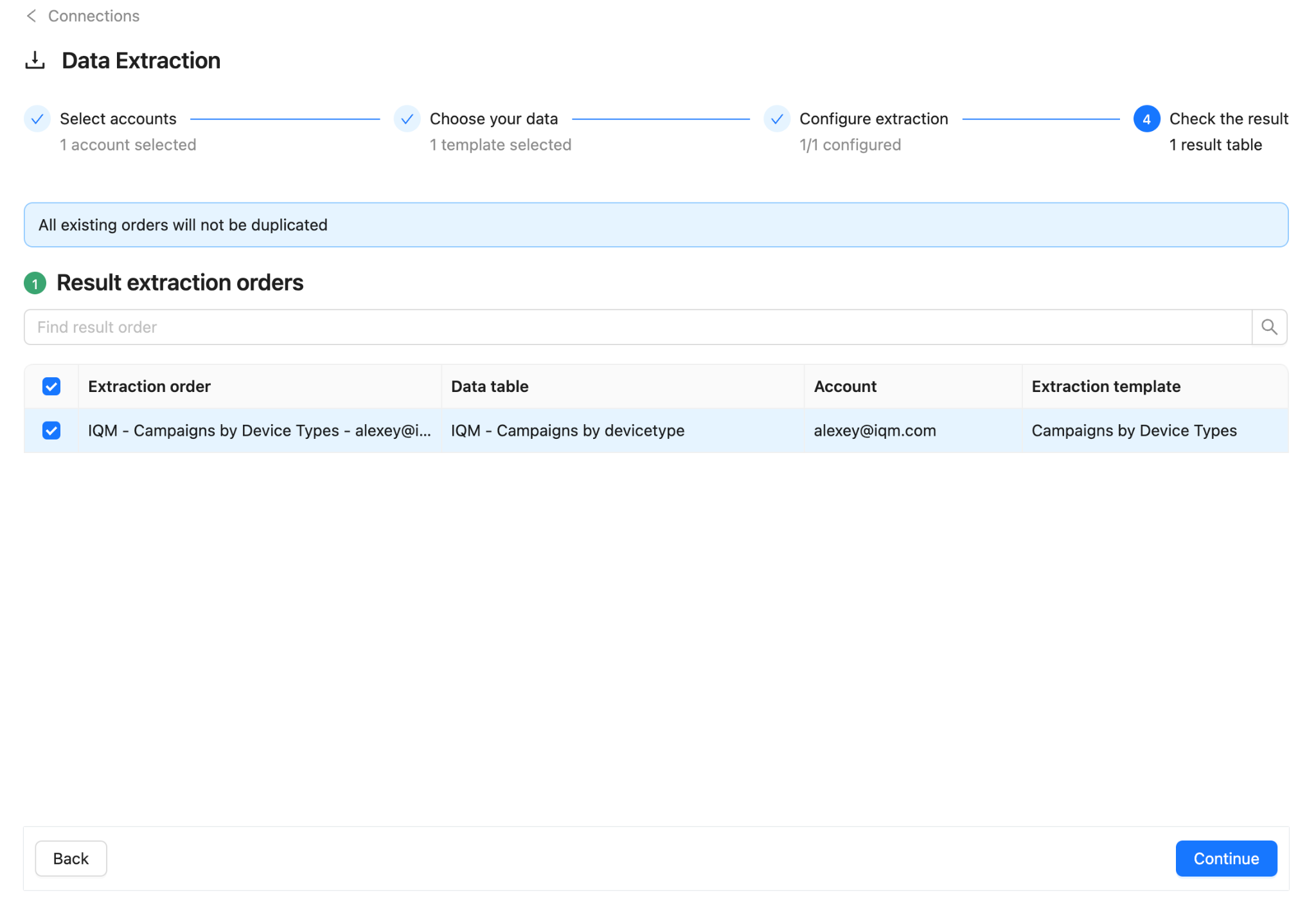
- Press Continue on the Result extraction orders step
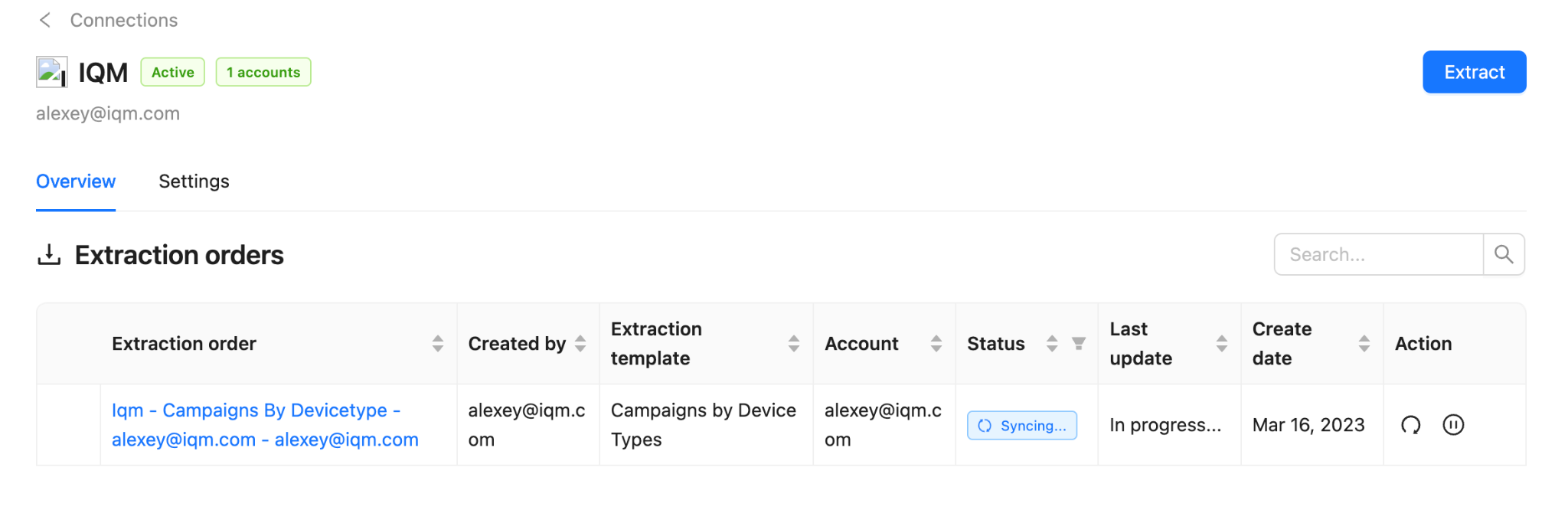
- Wait for your Extraction order to complete syncing
Step 8: Explore Your Data
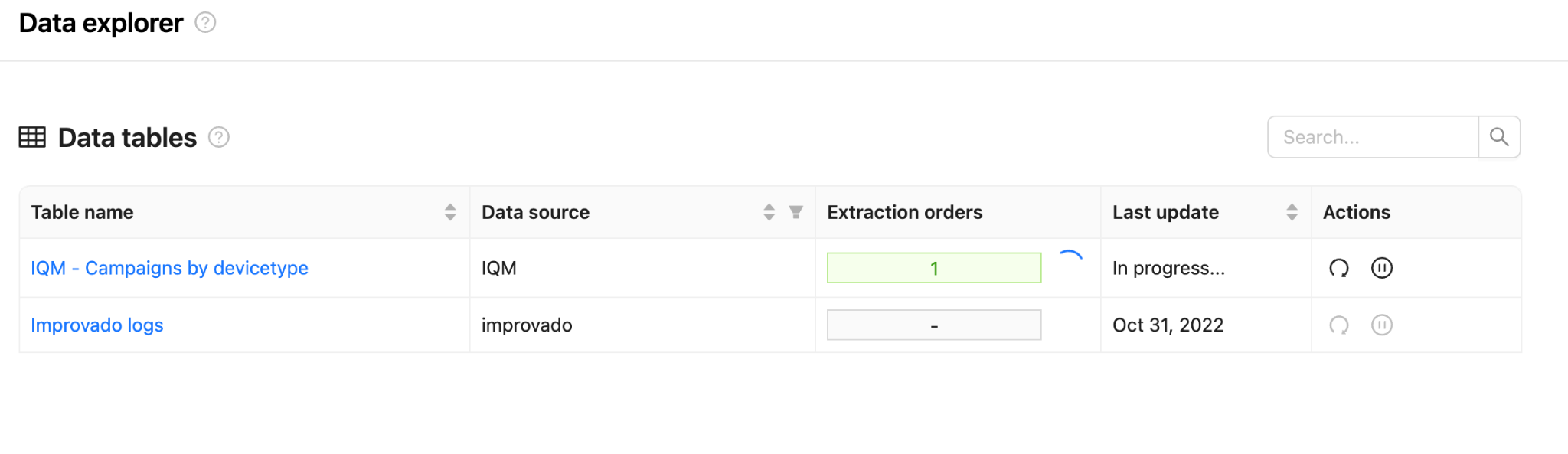
- Navigate to Data explorer in the Extract & Load side menu
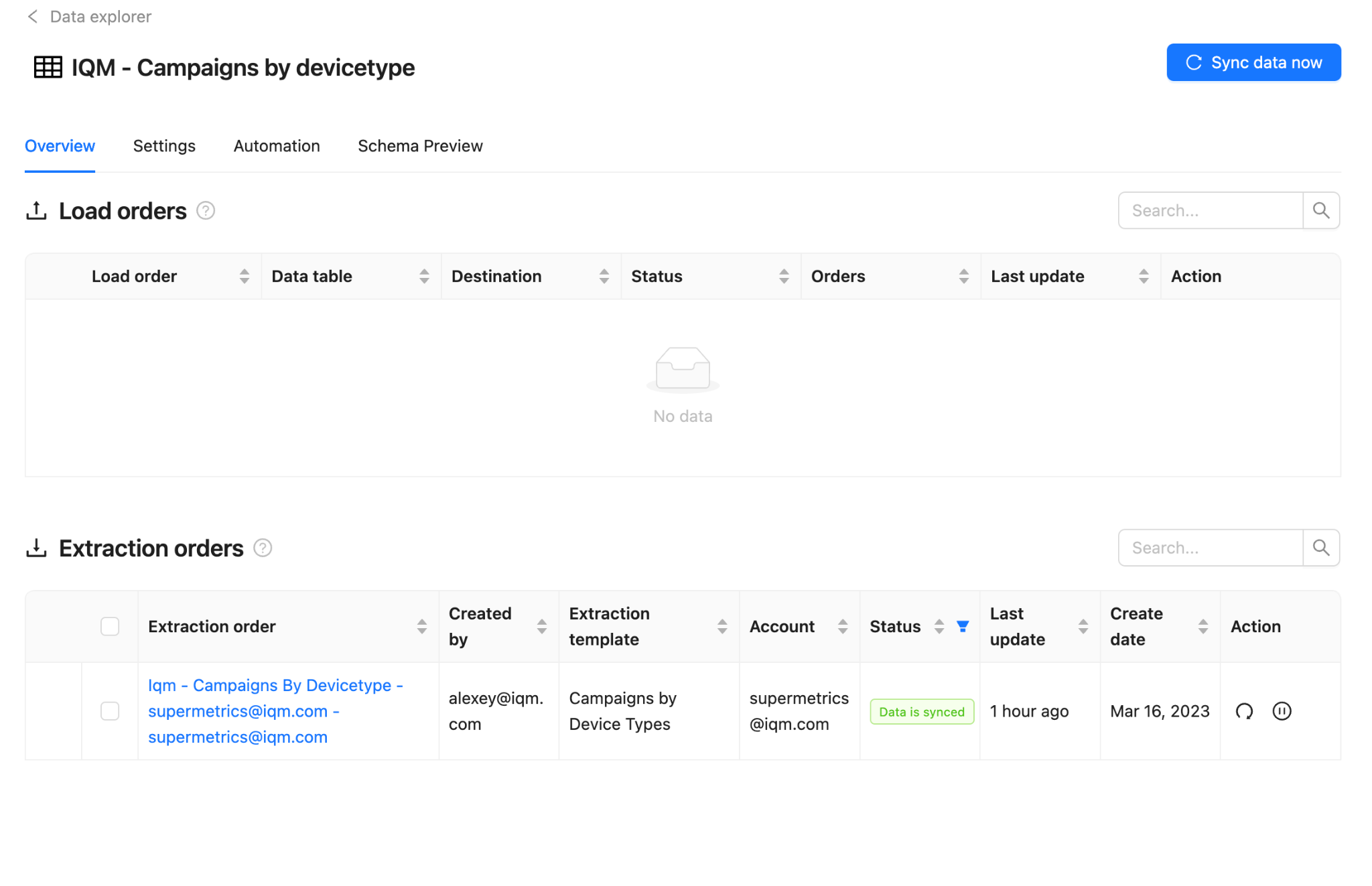
- Select your extraction order in the Extraction orders column
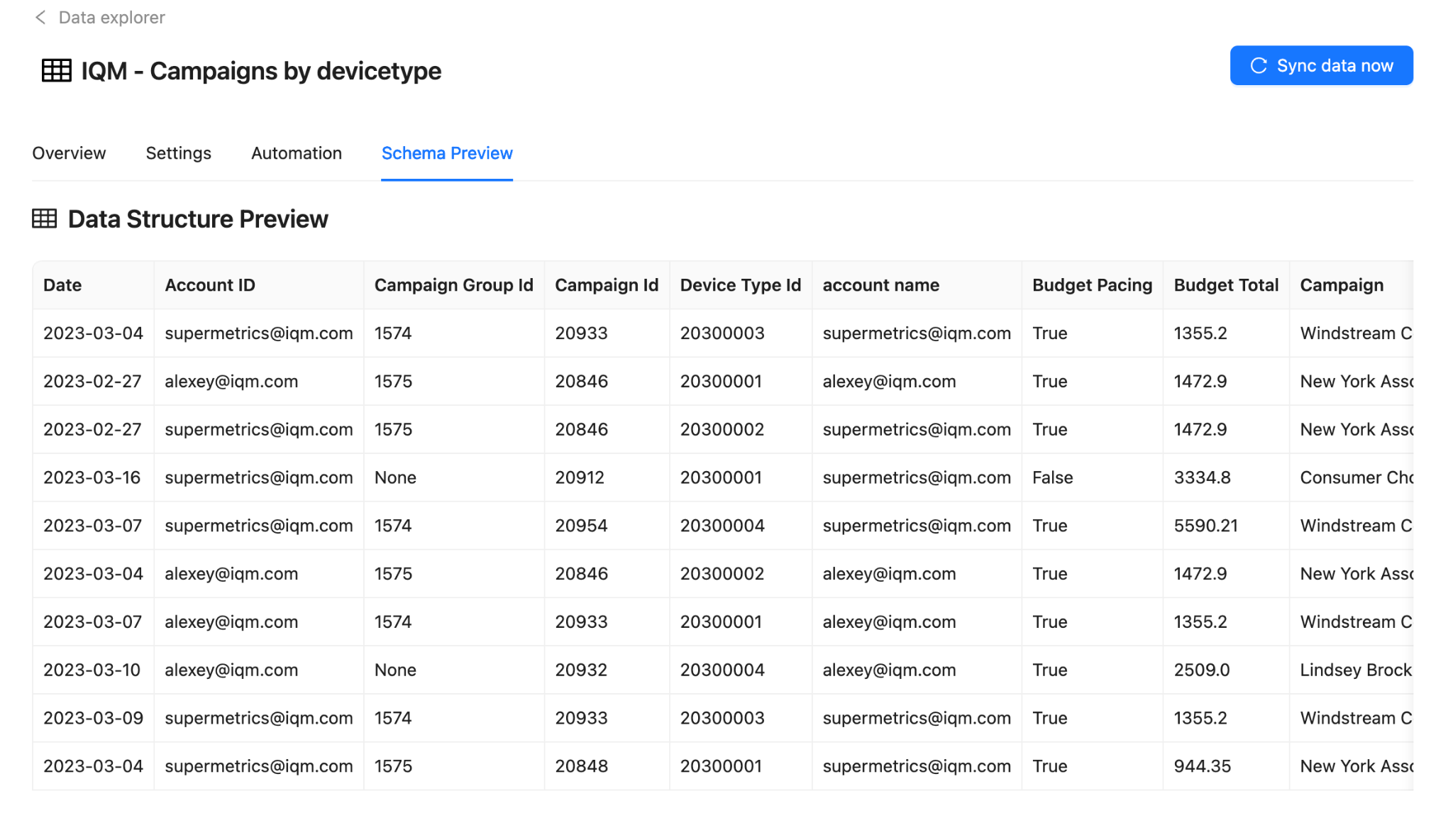
- Select the Schema Preview tab in Data explorer to explore your data preview
Key Features
- Automated data extraction: Pull IQM Campaign data automatically
- Data transformation: Clean and normalize data for analysis
- AI-powered insights: Leverage Improvado's AI for optimization recommendations
- Multi-source reporting: Combine IQM data with other marketing channels
Additional Resources
- Improvado - Improvado platform for marketing data
- Improvado Login - Log in to your Improvado account
- IQM Integration on Improvado - View the integration page on Improvado
- Improvado Video Demo - Watch a walkthrough of the extraction process
- Improvado Data Dictionary - Available report types and data fields
- IQM Partnerships - View all IQM partners
Have a question?
Was this page helpful?